Is there a Fansly app?
Fansly has no official app: its help centre tells you to use fansly.com in a browser. How to make it feel like an app on your phone, and what the 'Fansly apps' on download sites really are.
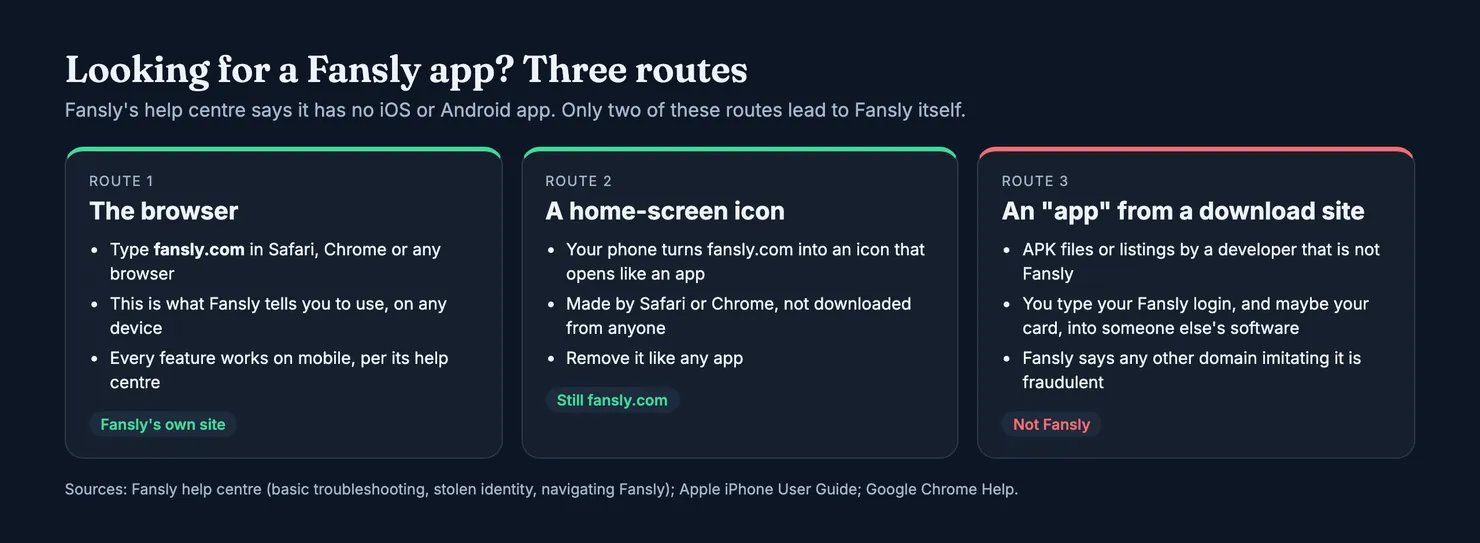
There is no official Fansly app. Fansly's own troubleshooting page says it has no iOS or Android app and tells you to use the site in your web browser at fansly.com, on any device. You can put that site on your phone's home screen so it opens like an app, and that is as close to a Fansly app as it gets. Anything called "Fansly" in a download catalogue or as an APK file was made by someone else, and it wants the one thing that matters on your account: your login.
Does Fansly have an app?
No. The answer comes from Fansly itself, not from guesswork: its help centre puts the line at the top of its troubleshooting advice, before the steps for a page that will not load. The same help centre describes every feature of the site (feed, messages, notifications, wallet, settings) as available on mobile and desktop alike, with icons that sit at the top or the bottom of the screen depending on your device, according to its page on navigating Fansly.
So on a phone you lose nothing by using the browser. Subscriptions, tips, direct messages and the wallet all work there. If you are new to how those work, our guide What is Fansly covers following, tiers and payments from the subscriber's side.
What do people mean by the Fansly application?
When people say "the Fansly app", they usually mean one of three things. Some mean the website itself, opened on a phone. Some mean an icon on their home screen that opens the site, which their phone made for them. And some mean an app they found on a download site, often an Android package listed under a developer name that has nothing to do with Fansly. The first two are Fansly. The third is not, whatever its icon looks like.
Is there a Fansly app for iPhone?
Not from Fansly. On an iPhone, use Safari (or any browser) at fansly.com, and add it to your home screen if you want an icon. Apple's own guide describes this as turning a website into an app, and the steps are further down.
Is there a Fansly app for Android?
Not from Fansly either, which is the important part, because Android lets you install apps from outside Google Play. That is where the copies live. Searches like "fansly app for android" and "fansly apk" lead to download listings for software Fansly says does not exist. On Android, the safe equivalent is Chrome's "Install" or "Add to home screen" option on fansly.com.
Why you won't find Fansly in the App Store or Google Play
Fansly's help centre does not give a reason, so we will not put words in its mouth. The rules of the two big stores explain the situation well enough, though.
Apple's App Review Guidelines (section 1.1.4) exclude overtly sexual or pornographic material, and say apps used mainly for pornographic content do not belong on the App Store. Google's Play policy on inappropriate content says it does not allow apps that contain or promote sexual content, including services intended to be sexually gratifying. A platform where much of what creators sell is adult content has little room in either store.
Two practical consequences follow. First, any "Fansly" app you do find in a store or a catalogue is not the platform, it only borrows its name. Second, the rules apply to similar sites as well: if you use both, our comparison Fansly vs OnlyFans sets out how each one works for subscribers. Store policies change, so read the current versions before you treat any of this as fixed.
How to use Fansly on your phone: the web app
Open your browser, type fansly.com yourself and log in. That is the whole method. If you would like an icon next to your other apps, both iPhone and Android can make one from the site, and it opens fansly.com in its own window without the browser's address bar and tabs.
How do I add Fansly to my iPhone home screen?
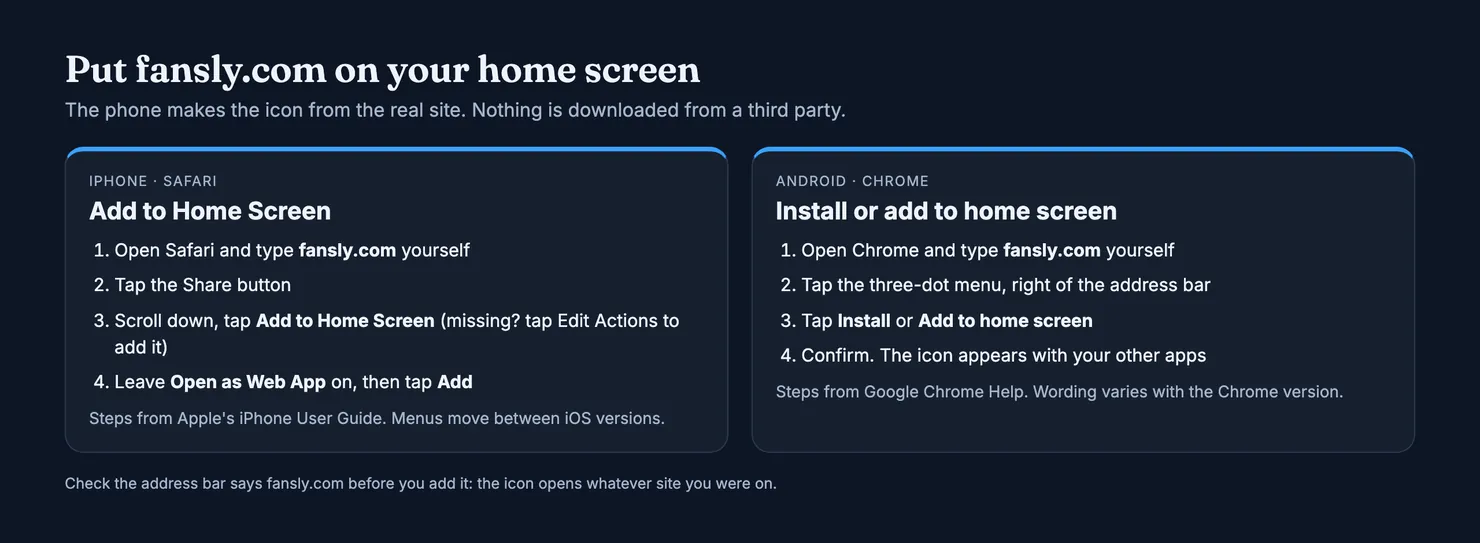
Apple's iPhone User Guide gives the steps for Safari:
- Open Safari and go to
fansly.com, typed by hand rather than reached through a link. - Tap the Share button.
- Scroll down the list and tap Add to Home Screen. If it is missing, scroll to the bottom, tap Edit Actions and add it.
- Leave Open as Web App switched on, then tap Add.
The icon appears on your home screen and opens the site like an app. Apple notes that a web app can send notifications and be closed like any other app; whether Fansly sends them that way is not something its help centre covers, so do not count on it.
How do I add Fansly to an Android home screen?
Google's Chrome Help calls these web apps: a website that works as an app from your home screen. In Chrome, open fansly.com, tap the three-dot menu to the right of the address bar, then Install or Add to home screen, and confirm. You remove it the way you remove any app.
One detail from that same page is worth keeping in mind. Chrome warns that a web app which suddenly changes drastically, such as taking a new name that resembles a different app, may be a malicious change, and suggests uninstalling it. It is a reminder that an icon only promises what its address delivers.
What if Fansly will not load on my phone?
Fansly's troubleshooting page lists the usual fixes: refresh, log out and back in, clear the browser's cache and cookies, update the browser, try a private window, and turn off ad blockers, VPN extensions or privacy tools that can stop media or payments from loading. If none of that works, its support page points to the Help button at the top of the site and to e-mail. A page that will not load is a browser problem to fix, not a reason to go looking for an app.
What are the "Fansly apps" on download sites?
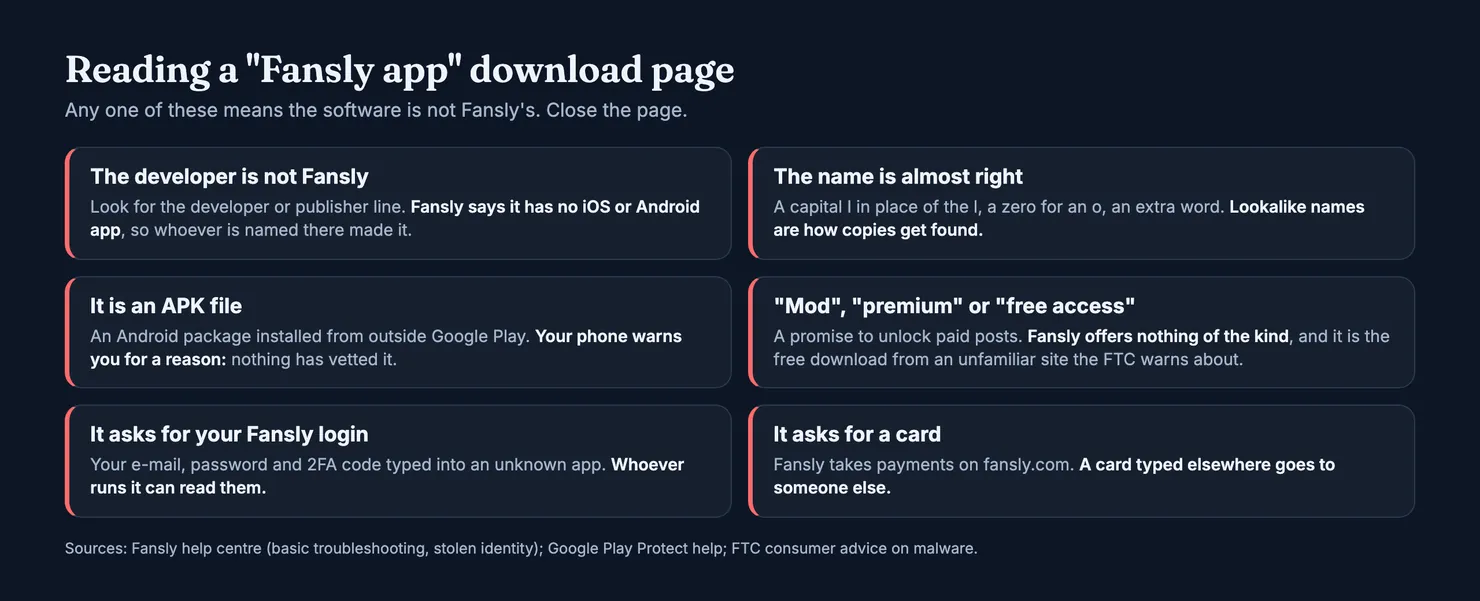
They are apps made by other people and named after Fansly. When we searched Google for "fansly app", the official site came first, followed by several download listings for an Android package. The developer named on those listings was not Fansly, and one listing spelled the name with a capital I in place of the lowercase l, which looks identical in many fonts. We did not download any of them and cannot say what they contain. We do not need to: Fansly says it has no app, so none of them is Fansly's.
What such an app asks of you is the real problem. To show you anything, it needs you to log in, which means typing your Fansly e-mail, password and perhaps your two-factor code into software run by an unknown party. Some go further and ask for a card. Fansly's page on stolen identity says it operates only under fansly.com, that any other domain imitating it is fraudulent, and that fake sites are built to steal personal or financial information. An app that wraps a fake login page is the same trick in a different package.
Fansly's full rules are in its terms of service. Our browsers cannot open fansly.com, so we have not read the current version for this guide, and the help centre pages we did read say nothing about third-party apps beyond the fact that there is no official one. Terms change, so check them yourself if it matters to you.
Is a Fansly APK safe to install?
Treat it as unsafe. An APK is an Android app installed from outside Google Play, so no store has reviewed it, and the one you are looking at claims to be software that Fansly says does not exist. The FTC's advice on malware describes what such software is used for: stealing usernames, passwords and bank details, showing unwanted ads, or making a device easier to infect. It also tells you not to download software from unfamiliar sites, and to reach a site by typing its address rather than following an ad.
Android itself tries to help. Google Play Protect, according to Google's Android Help, checks apps from other sources for harmful behaviour, warns you and can remove them. It is on by default. If your phone warns you before installing a "Fansly app", the warning is doing its job.
What about "mod" or "free access" versions?
Searches for "fansly mod apk" or "fansly free access apk" turn up apps that claim to unlock paid posts. Fansly offers nothing of the kind, and creators are paid through the platform, so a tool that promises free access is either lying or doing something you do not want on your phone. It is exactly the free download from an unfamiliar site that the FTC warns about. We will not go further into these: the only useful advice is to close the page.
Are desktop "Fansly apps" any different?
Some catalogues offer a desktop app for Mac, Windows or Linux that opens the Fansly site in its own window. These are made by third parties too, not by Fansly. A desktop browser already does the same job, and you can pin fansly.com to your taskbar or dock without installing anything from someone else.
Installed a fake Fansly app? What to do
If you installed one of these apps, or logged in through one, act on the assumption that your login is no longer private. Fansly's own steps for anyone who used a fake site apply here:
- Uninstall the app. On Android, run a scan from Play Protect in the Play Store settings afterwards.
- Change your Fansly password from a browser at
fansly.com, and change the password of the e-mail account linked to it if it was the same. - Turn on two-factor authentication, either with an authenticator app or with e-mail codes, as Fansly's 2FA page explains.
- Call your bank if you typed a card into the app, and ask it to watch for fraud.
- Check your Fansly payment history for purchases or tips you did not make, and contact Fansly support if you find any.
Our guide Is Fansly safe? covers the rest of the account security side: what other users can see of you, how refunds and disputes work, and the messages that should make you stop.
Before you pay anyone from your phone
A real site is half the question. The other half is the account you are about to pay. On a phone, people often arrive at a Fansly profile from a link in a social media bio, and the link can point to a copy that uses someone else's photos. Our guide on Fansly search explains how to find the right profile from inside Fansly rather than through a link.
Legit runs in the same phone browser. You can look up the account on Legit before subscribing and see two separate scores: how likely it is that the account belongs to the person it shows, and how likely it is that someone else answers the messages. How each score is calculated, and what it cannot tell, is set out in our methodology.
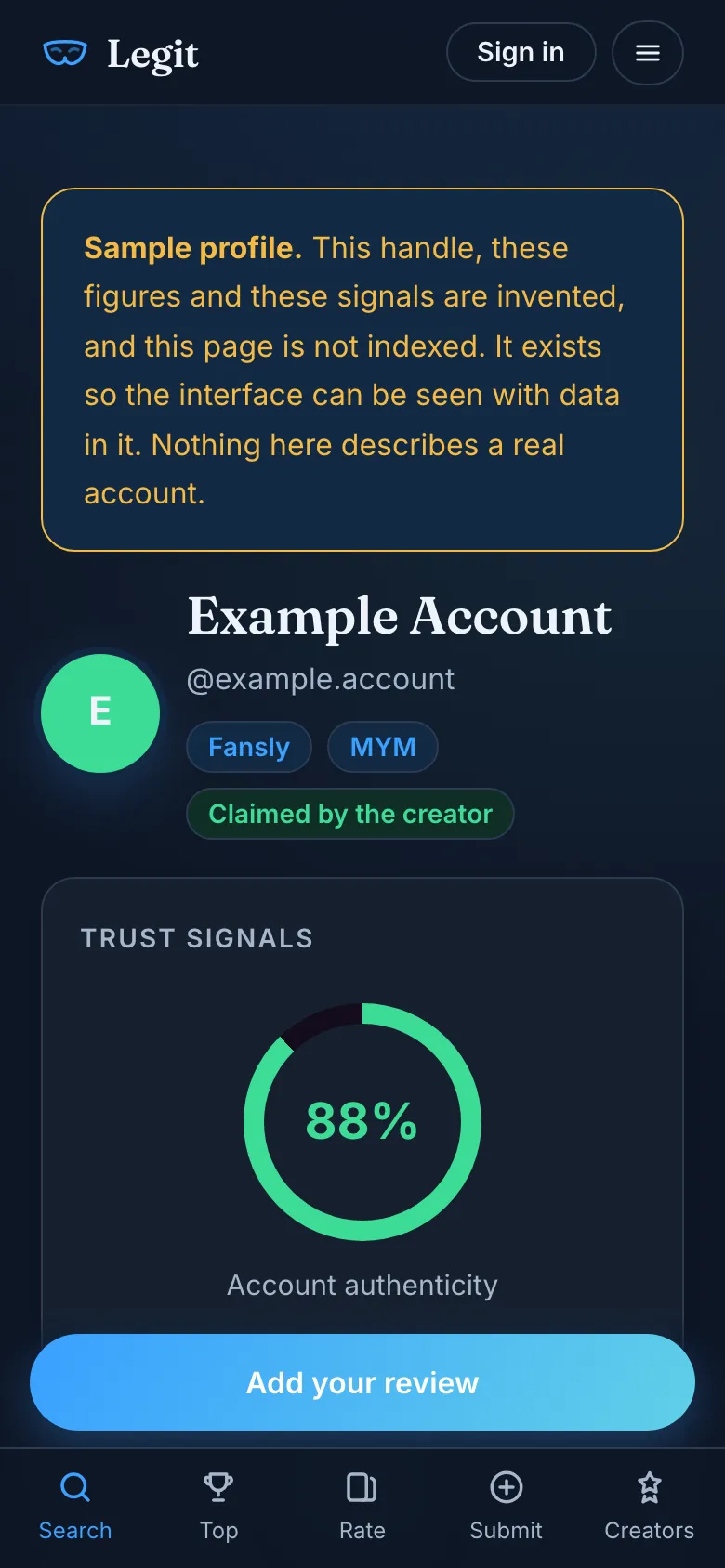
If you have already subscribed, what you saw is useful to the next person. You can rate the account from your phone in a couple of minutes, and if you have the subscription receipt from Fansly in your inbox, it can back up your review.
Questions people ask
Does Fansly have an official app?
No. Fansly's own troubleshooting page says it does not have an iOS or Android app and tells you to use Fansly in your web browser at fansly.com, whatever device you are on. Every feature, including messages, subscriptions and the wallet, is available in the mobile browser according to its help centre.
How do I get Fansly on my iPhone?
Open Safari, type fansly.com yourself, tap the Share button, then Add to Home Screen, leave Open as Web App switched on and tap Add. Apple's iPhone User Guide describes this as turning a website into an app. The icon opens the real Fansly site in its own window, and nothing is downloaded from a third party.
Is there a Fansly app for Android?
Not from Fansly. The Android packages offered on download sites under the Fansly name are listed under other developers. The safe equivalent is Chrome: open fansly.com, tap the three-dot menu, then Install or Add to home screen. The icon opens fansly.com and can be removed like any app.
Is a Fansly APK safe to download?
Treat it as unsafe. Fansly says it has no Android app, so any APK carrying its name was made by someone else and has not been reviewed by Google Play. It will ask for your Fansly login, and the FTC warns that software from unfamiliar sites is a common way to steal passwords and bank details.
Why is Fansly not on the App Store or Google Play?
Fansly's help centre does not say why. Apple's review guidelines exclude overtly sexual or pornographic material, and Google Play does not allow apps that contain or promote sexual content. A platform where much of what creators sell is adult content has little room in either store, so the browser is the way in.
What should I do if I installed a fake Fansly app?
Uninstall it and, on Android, run a Play Protect scan. Change your Fansly password from a browser at fansly.com, and the password of the linked e-mail account if it was the same. Turn on two-factor authentication, check your payment history for anything you did not buy, and call your bank if you typed in a card.